Wallet Connect
You’ve made your wallets, gotten the tokens—what’s next?
Now, you need to connect your StarKey (or preferred wallet) to Dexlyn perps, and you’re good to go!
Currently, Dexlyn perps is only supported on web-based platforms. While you might be able to see a (really cool) design on your mobile device, to connect a wallet and make transactions, you’ll need to use Dexlyn on a desktop or laptop.
How to Connect
-
Visit the official Dexlyn website .
-
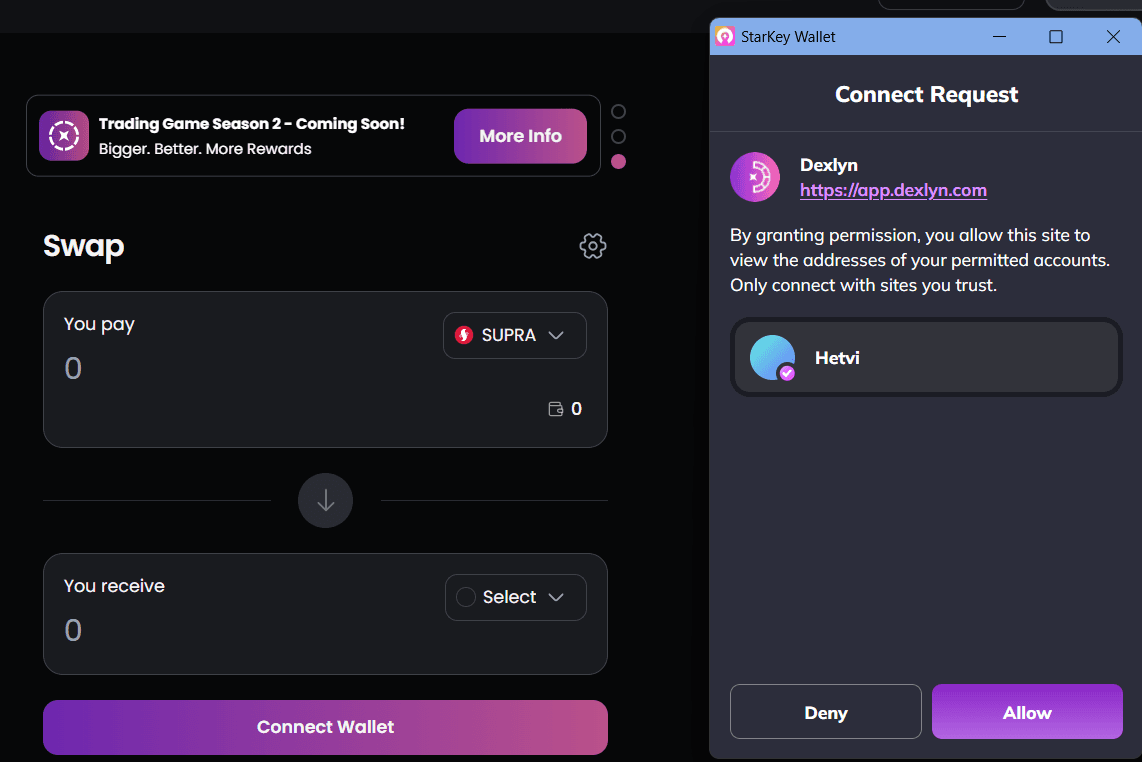
Click on the ‘Connect’ button at the top-right corner of your screen.

-
Approve Wallet Connection.
-
That’s it! Now you’re all set. Your wallet address will be displayed in the top-right corner.

-
You can now access all Dexlyn features and functionalities. 🚀