Standard
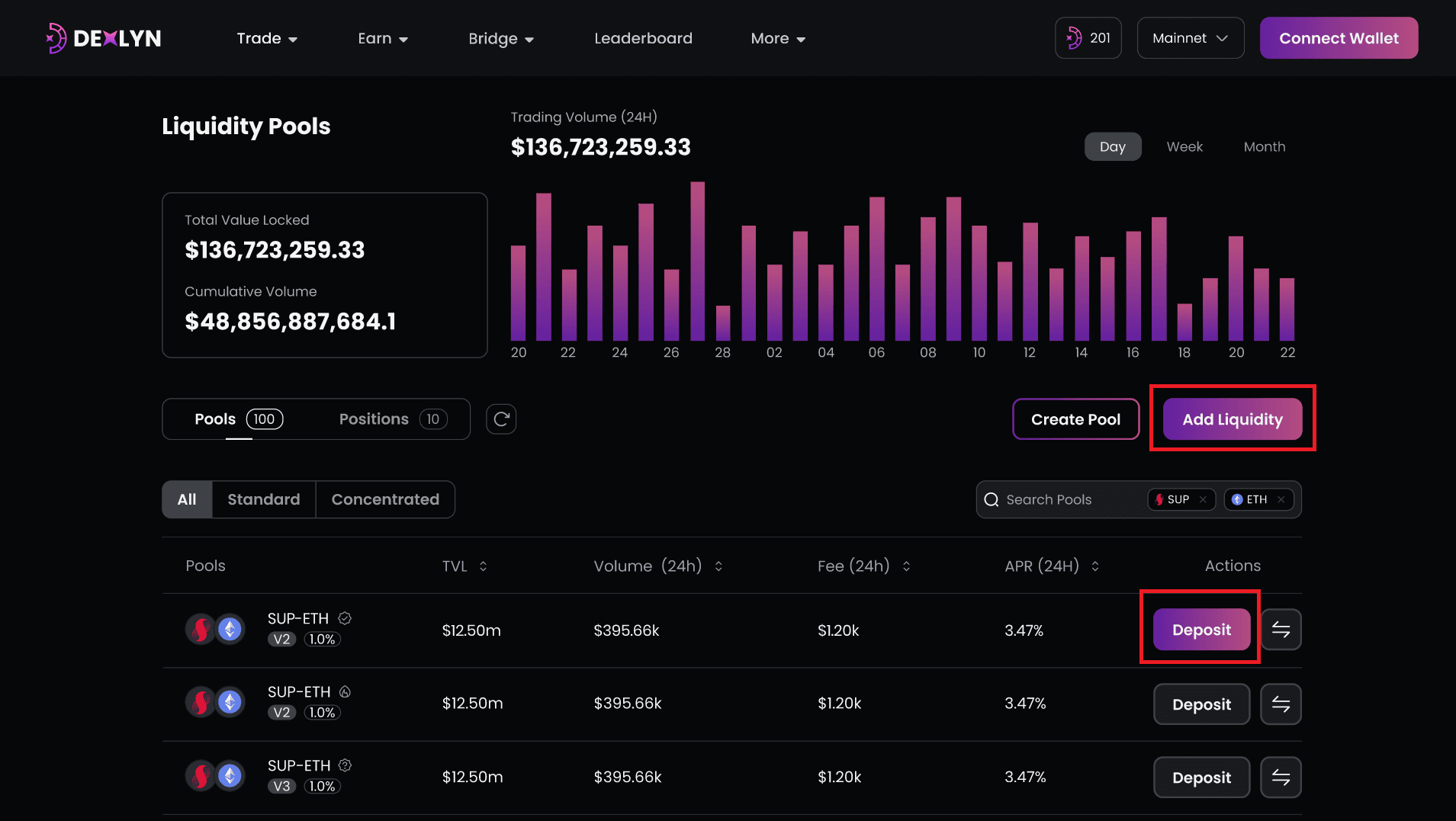
- Check all of the listed trading pools on Dexlyn and select the asset pools for which you wish to provide liquidity. There are more pools to be displayed on our dapp.
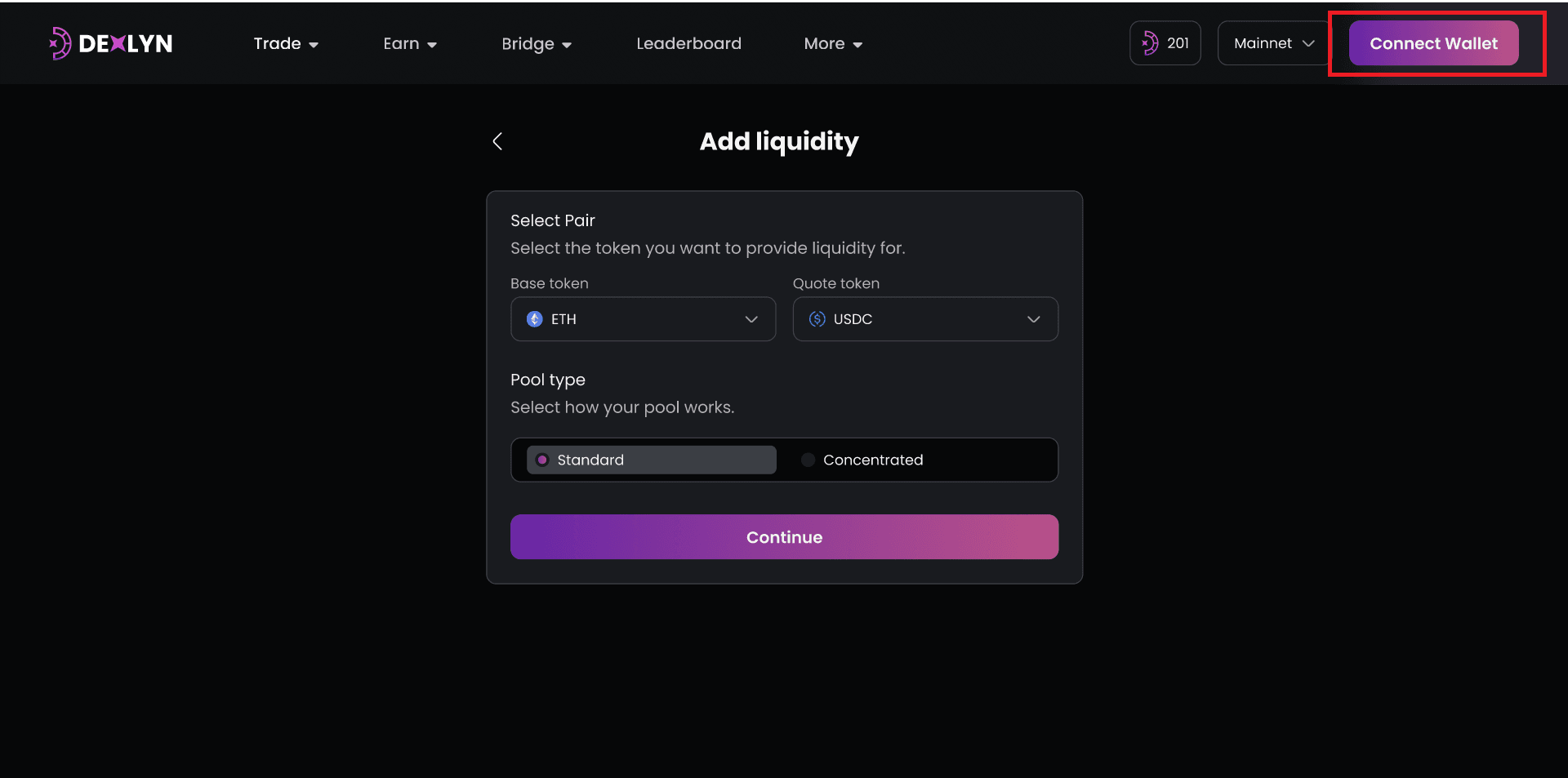
- To add liquidity, pick the pair to which you want to create a liquidity pool.
- When you click Deposit, you will be led to a specific liquidity pool.
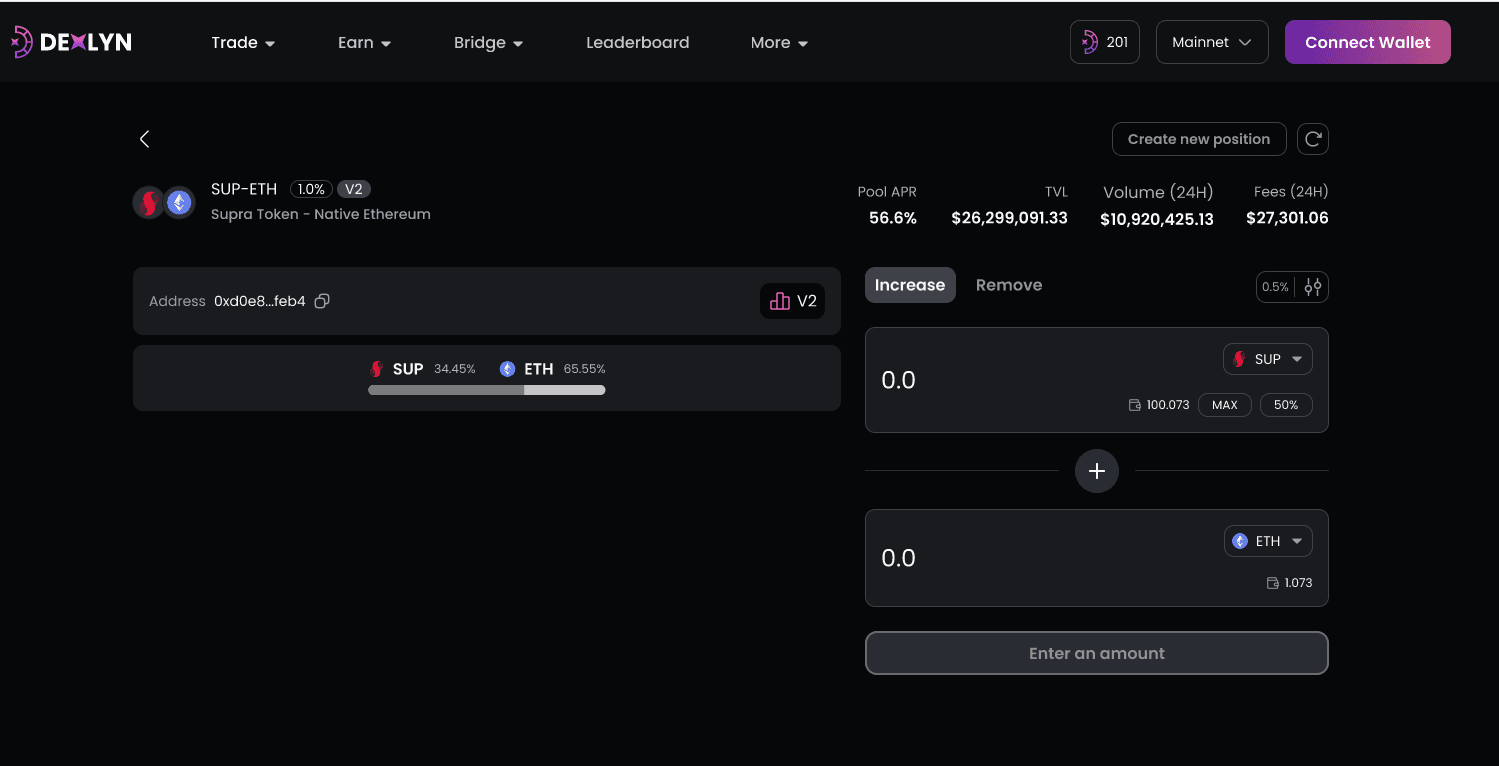
- Enter the quantity of assets on either side of the intended liquidity pool.
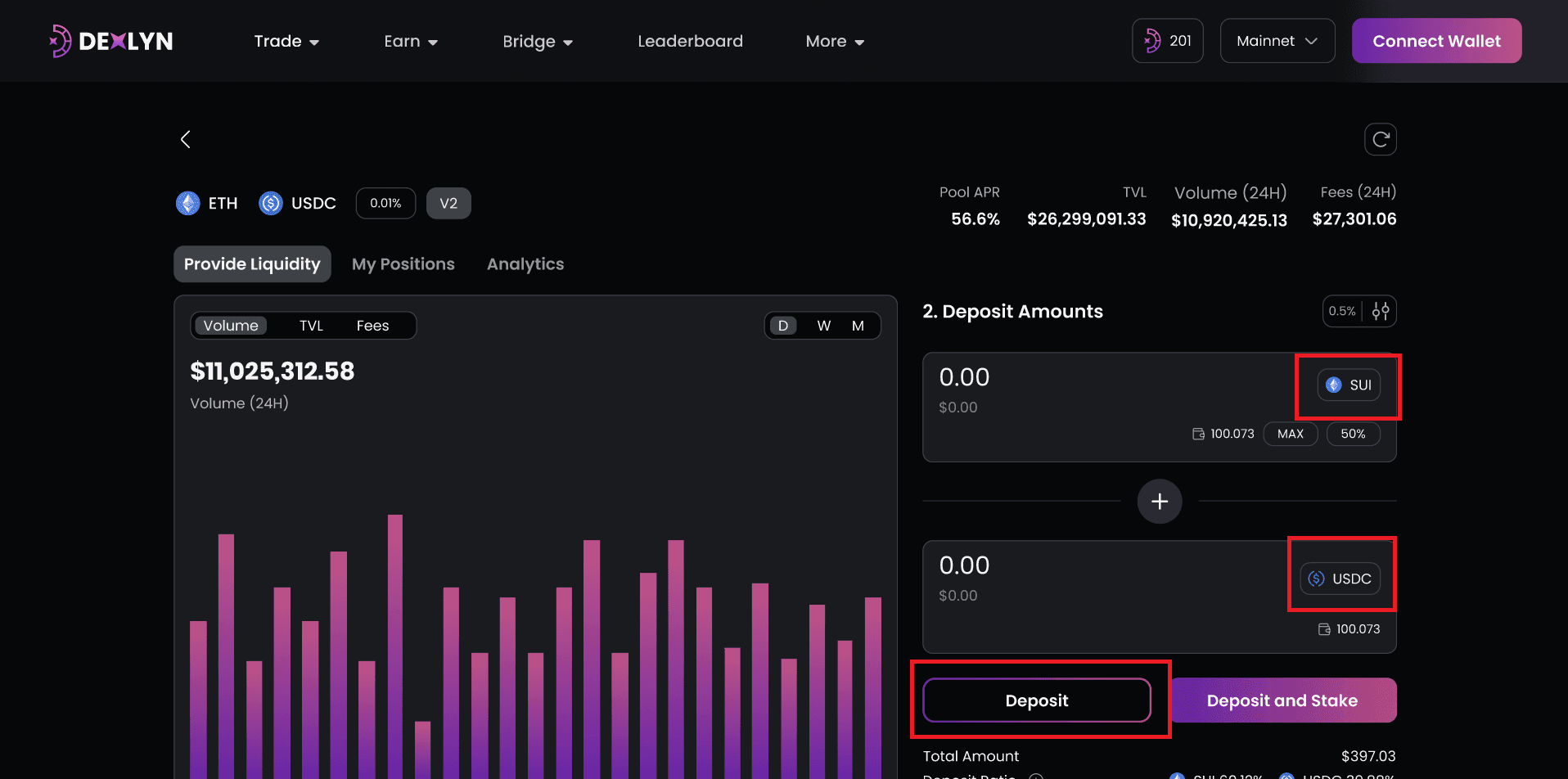
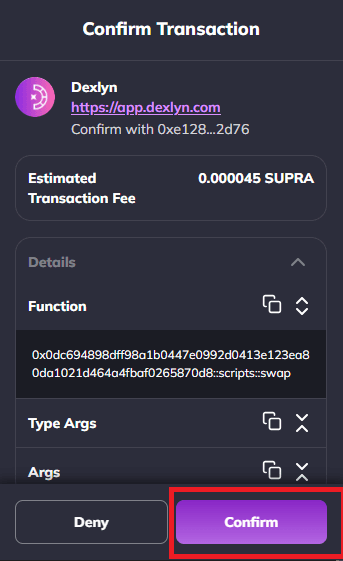
- Confirm the transaction, and the liquidity will be added to the standard Liquidity Pool.