Bridge Ethereum to SUPRA Mainnet
- Open the Dexlyn Bridge page.
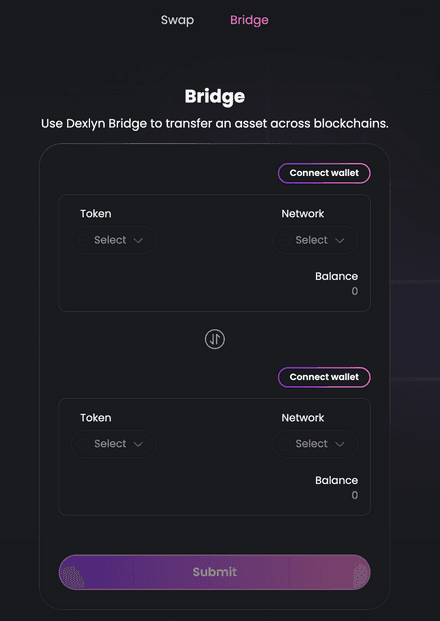
Connect Your Wallets
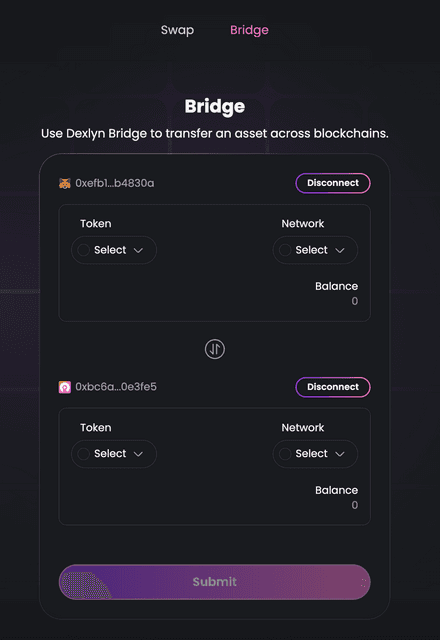
- Connect your Ethereum Metamask wallet by clicking “Connect” as the Source Wallet and approving the connection. (Currently, MetaMask is the only supported wallet).
- Next, connect your SUPRA Starkey wallet by clicking “Connect” as the Destination Wallet and approving the connection. (Currently, only Starkey Wallet is supported)
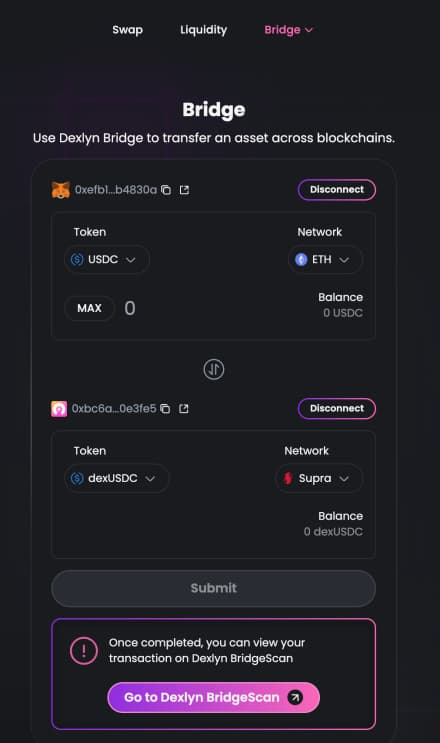
Select Network, Token, and Amount
- Use the dropdown menu to select Ethereum as a Source Network.
- Select USDC as a token in the Source Chain(Ethereum).
- Similarly, Use the dropdown menu to select SUPRA as a Destination Network.
- Select dexUSDC as a token in the Destination Chain(Supra).
- Enter the amount of USDC you want to bridge.
- The bridged asset will be received as dexUSDC on Supra Network.
Initiate the Bridge
- Click “Transfer” and approve the transaction in your MetaMask wallet popup.
- A wallet confirmation window will appear—review and approve the gas fees for the transaction.
- Wait for a few seconds while the bridging process completes.
- Once completed, you will receive a “Bridge Transaction Successful” message, and your USDC on Ethereum will now be available as dexUSDC on Supra Network. 🚀