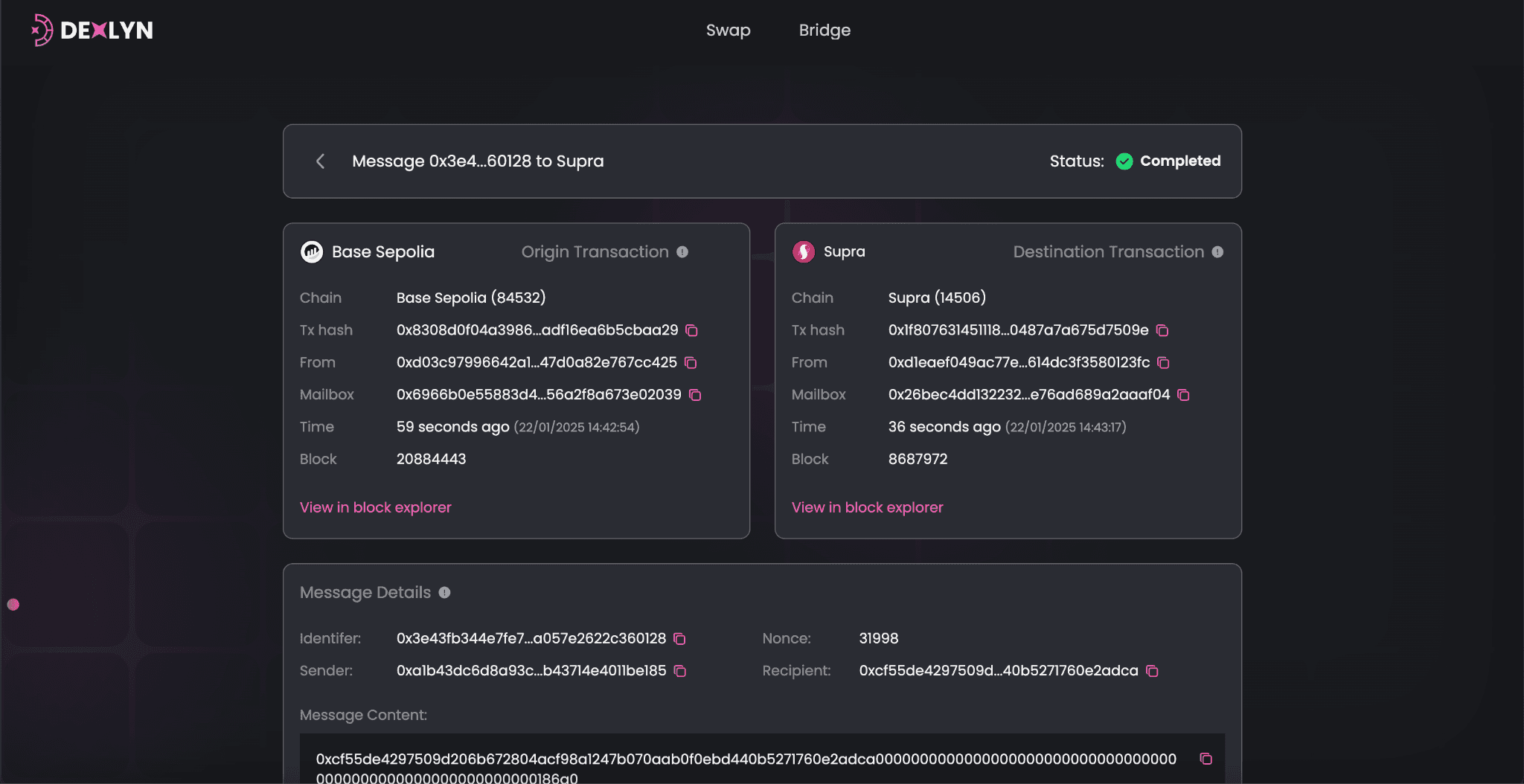
How to See More Details
Step 1: Click on a Transaction
When you click on a transaction, you’ll see the status of the transaction and a detailed view.
Step 2: Check Transaction Details
-
Origin Chain Info
- Blockchain name (e.g., ETH).
- Transaction hash.
- Sender wallet address.
- Mailbox address (technical detail for the bridge).
- Timestamp and block number.
- Clickable link to the blockchain explorer.
-
Destination Chain Info
- Blockchain name (e.g., Supra).
- Transaction hash and other details similar to the origin chain.
-
Message Details
- Unique identifier for the transaction.
- Sender and recipient wallet addresses.
- Message content (technical details about the transaction).
-
Raw Bytes
- This is technical data for developers or advanced users.