Getting $CASH
Swap
To start trading, you first need to get some $CASH.
Follow these steps to deposit $CASH into your account:
-
Open the Swap page in Dexlyn and connect your starkey wallet.
-
Next, go to the Swap section, select SUPRA as the token you want to exchange, and choose $CASH as the token you wish to receive.
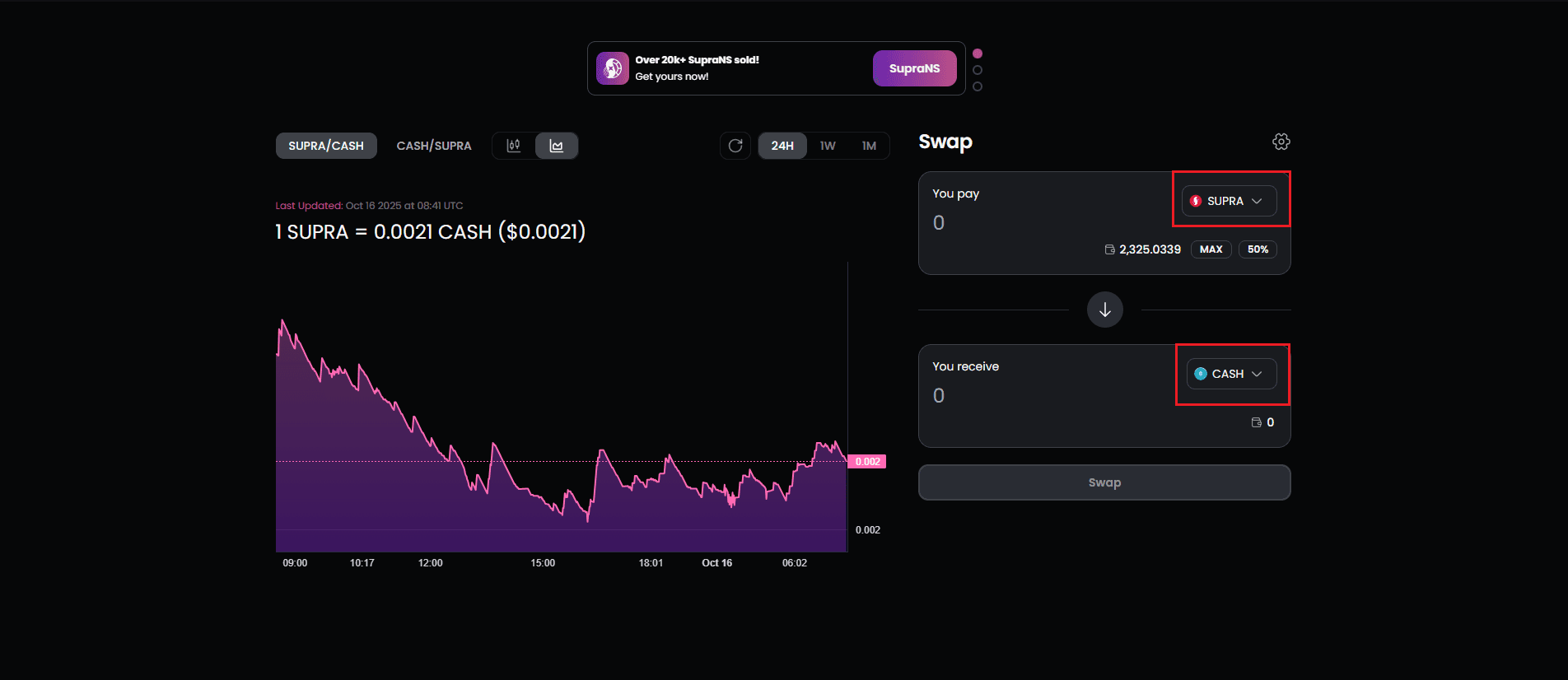
- Enter the amount of SUPRA you want to swap and review the estimated $CASH you’ll receive. Double-check the price impact and adjust the slippage tolerance if necessary for smooth execution.
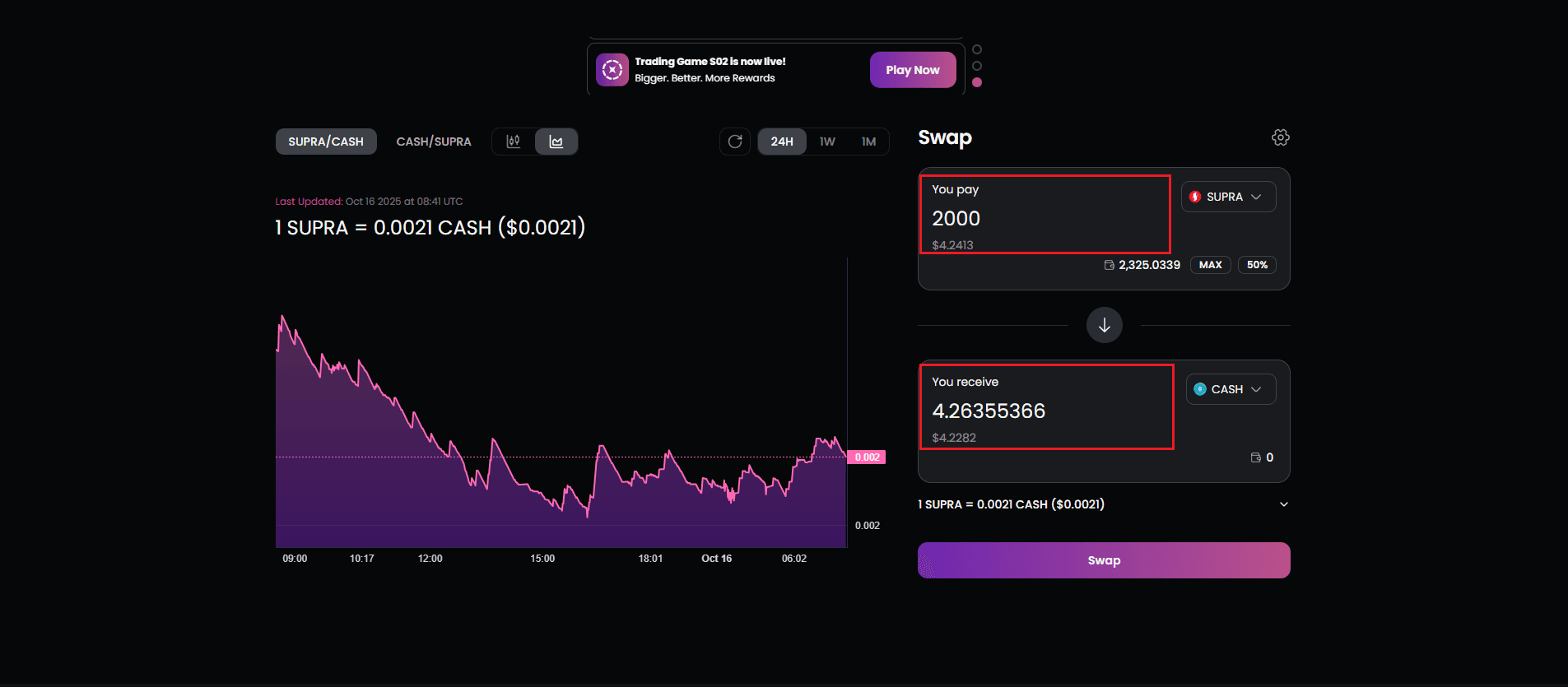
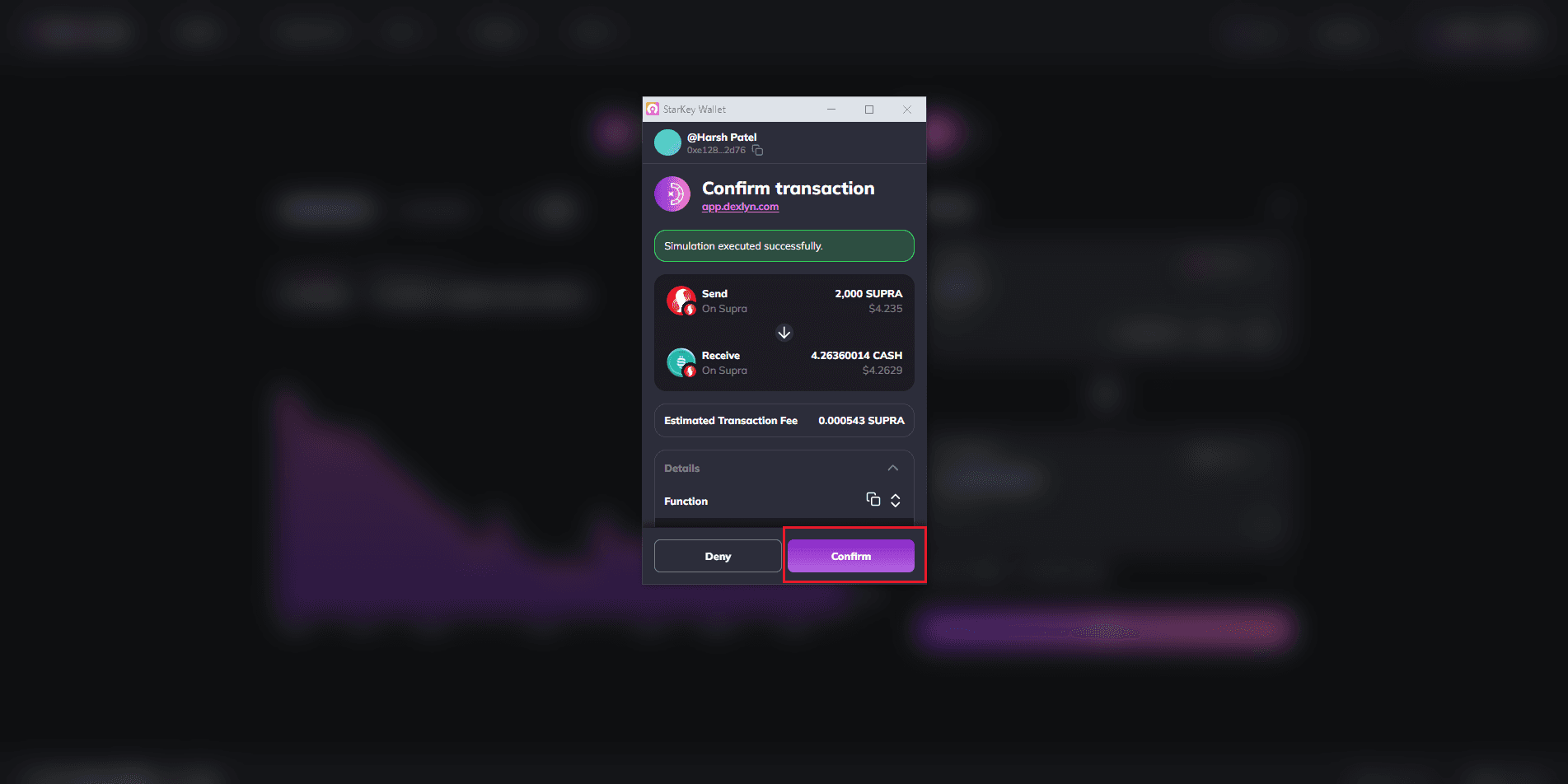
- Click Approve SUPRA if it’s your first time swapping, confirm the approval in your wallet, then proceed by clicking Swap and confirming the transaction.
-
By doing swap, wallet transaction will occur and after confirmation, $CASH will be shown in the wallet.
-
By default, Slippage amount will be 0.5% or you can change it from the Settings button.